


脚本
@echo off
:: 检查是否以管理员权限运行
net session >nul 2>&1
if %errorLevel% neq 0 (
    echo 正在尝试以管理员权限重新启动...
    PowerShell -Command "Start-Process '%0' -Verb RunAs"
    exit /b
)

title 右键菜单样式切换器

:start
cls
echo.
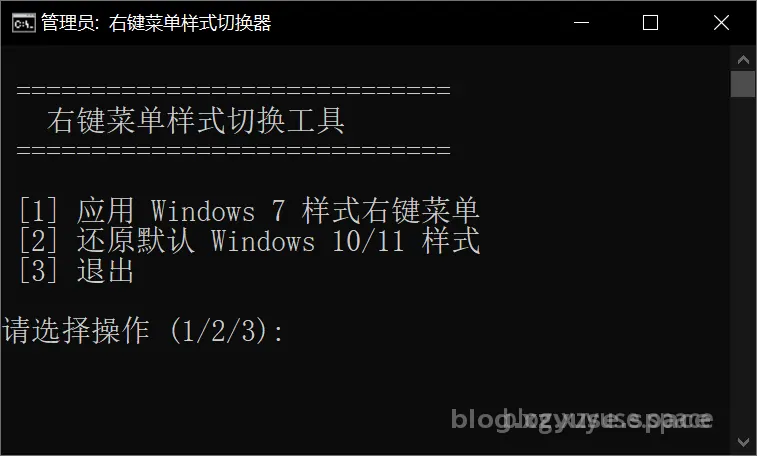
echo  =============================
echo    右键菜单样式切换工具
echo  =============================
echo.
echo  [1] 应用 Windows 7 样式右键菜单
echo  [2] 还原默认 Windows 10/11 样式
echo  [3] 退出
echo.
choice /c 123 /n /m "请选择操作 (1/2/3): "

if %errorlevel% == 3 goto exit
if %errorlevel% == 2 goto restore
if %errorlevel% == 1 goto apply

:apply
cls
echo 正在应用 Windows 7 样式右键菜单...
reg add "HKCU\Software\Classes\CLSID\{86ca1aa0-34aa-4e8b-a509-50c905bae2a2}\InprocServer32" /ve /d "C:\Windows\System32\windows.storage.dll" /f >nul 2>&1
taskkill /f /im explorer.exe
start explorer.exe
echo.
echo  已应用 Windows 7 样式右键菜单。
echo  请检查右键菜单是否生效。
pause
goto start

:restore
cls
echo 正在还原默认 Windows 10/11 样式右键菜单...
reg delete "HKCU\Software\Classes\CLSID\{86ca1aa0-34aa-4e8b-a509-50c905bae2a2}\InprocServer32" /va /f >nul 2>&1
taskkill /f /im explorer.exe
start explorer.exe
echo.
echo  已还原默认样式。
echo  请检查右键菜单是否已恢复。
pause
goto start

:exit
cls
echo.
echo  正在退出程序...
timeout /t 1 >nul
exit
Windows11右键菜单还原脚本
https://blog.xzyuse.space/archives/3224ca80-b5ef-4097-9069-0d1d308493e5
评论